


Hello Weather
3.2333.00 Reviews
App Specs
- Version
- 3.10.10
- Updated On
- License
- Free
- Downloads
- 100,000+
- Developer
- Electric Dream Machine
- Categories
- Weather
- Platform
- Android
Screenshots
 Analysis by AppCompare
When I open a weather app, I usually want one quick answer: what should I expect over the next few hours, and do I need to change my plans? Hello Weather is built around making that check feel straightforward rather than turning it into a tour through charts and menus. It is a free weather app from Electric Dream Machine, and its appeal is clearest when you want useful forecast information without a busy interface getting in the way.
A simpler way to read the forecast
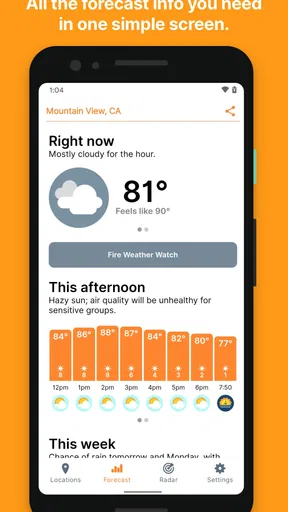
The capability I find most useful is the way Hello Weather brings forecast information into an uncluttered view. That matters because a weather app is often something I open briefly while getting dressed, heading out, or deciding whether to postpone a walk. A screen that is easy to scan helps me make that small decision without having to interpret a wall of numbers first.
That simplicity is a design choice, not a promise that every forecast will be right. Weather changes, and forecasts can differ by place and timing. I treat the app as a practical guide for planning, not a guarantee. If conditions are important for a safety-sensitive trip or outdoor work, I would check the latest local advice as well rather than relying on a single quick glance.
First Impressions
The first thing you’ll notice about Hello Weather is its clean and intuitive design. From the moment you open the app, you’re greeted with a simple interface that’s easy on the eyes. No clutter, no unnecessary buttons – just the weather information you need, right where you need it. I don’t know about you, but I find all those extra features in some weather apps a bit overwhelming. Here, simplicity truly is king.
Design and Usability
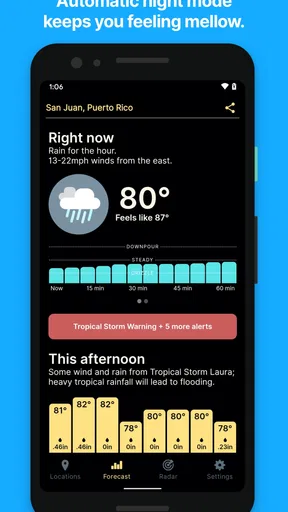
One of the standout features of this app is its adaptive design. It changes from a light to a dark theme depending on the time of day, which is not only visually appealing but also practical. This thoughtful touch ensures you’re not blinded by a bright screen when checking the weather at night. Plus, the minimalist layout means that even if you’re a newbie to weather apps, you’ll feel right at home. The icons are clear, the fonts are crisp, and everything flows smoothly.
In ordinary use, a clean layout is most helpful when I am in a hurry, not when I have time to explore. For example, if I am packing a bag before work, I can check the forecast, decide whether to bring a jacket, and move on. The value is less about making weather exciting and more about reducing friction in a routine I repeat every day.
How I’d use it through a typical day
Imagine I am planning a walk after work. I would check the forecast early in the day to get a broad sense of what is coming, then look again before leaving. The hourly view is useful here because a general “rain later” warning does not tell me whether I should take the walk now, wait, or bring a waterproof layer. I would use the forecast to choose between those options, while keeping a little flexibility in the plan if the weather shifts.
Worth Reading Before You Choose

EA SPORTS FC Mobile 26 Is a Bigger Football Game, but It Takes Time

Flipboard Shows What News Apps Must Do Beyond the Feed

Switching to Android Auto Means Rethinking Your Driving Routine

Google Calendar Makes a Crowded Week Easier to Manage

Ludo King Makes the Most of the Minutes Between Plans

Baby Panda World Brings Quick Play to Modern Phones, but Its Game Library Feels Busy
A small practical habit is to check at the time and place that matter, rather than assuming conditions near home match those at a destination. That is particularly worthwhile if I am travelling across town or planning something outdoors. A simple interface can make repeat checks quick, but it cannot remove the uncertainty that comes with changing local weather.
Features Worth Noting
Now, onto the features that really make Hello Weather a must-have:
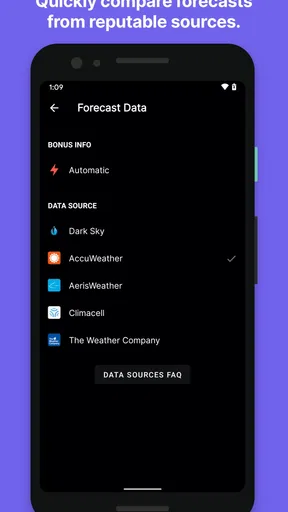
- Multiple Data Sources: The app pulls data from multiple reputable weather services, ensuring you get the most accurate forecast possible. It’s like having a team of meteorologists working for you!
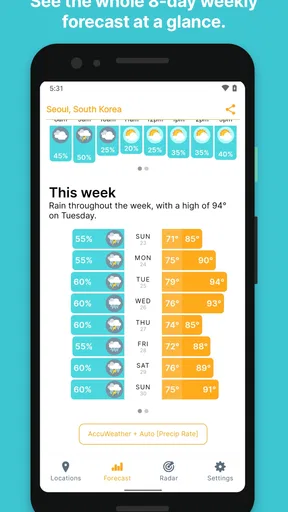
- Hourly Forecasts: For those of us who like to plan our day to the minute, the detailed hourly forecasts are a lifesaver. Whether you’re planning a picnic or just trying to dodge the rain, this feature has got you covered.
- Customizable Notifications: You can set up notifications to alert you about significant weather changes. It’s especially handy if you’re forgetful like me and need a little nudge about that incoming storm.
Those tools work best as a lightweight planning routine. I would use notifications for changes that could affect a plan I care about, rather than turning on every alert and training myself to ignore them. Before relying on a reminder, I would also check which alerts are available and tune them to my own needs. The hourly forecast answers a different question: not just “what is the weather today?” but “when is the least inconvenient time to go out?”
For a picnic or a commute, that distinction can be useful. I can check the hours around the event, then make a decision based on the likely timing rather than cancelling the whole plan because of a broad daily summary. Still, when the consequences of a wrong call are high, I would compare the forecast with local warnings or another trusted source. Having several data sources is a helpful foundation, not a reason to assume certainty.
Where it fits among weather apps
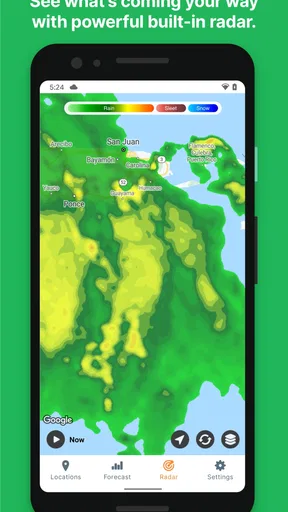
Compared with the usual weather apps that pack in maps, news, radar panels, and many layers of detail, Hello Weather is better suited to someone who wants a quick, readable forecast first. If I want to scan conditions and get on with my day, that restraint is a plus. If I am tracking a storm closely, comparing detailed radar imagery, or looking for a broad set of specialist tools, a more feature-heavy weather app may be the better fit.
That is a real trade-off rather than a flaw that affects everyone equally. Extra panels can be valuable when I am investigating a weather system, but they can also slow down a routine check. Hello Weather’s emphasis on simplicity makes it easier to approach, though people who enjoy digging through layers of meteorological detail may find the experience less satisfying than a specialist alternative.
Performance and Reliability
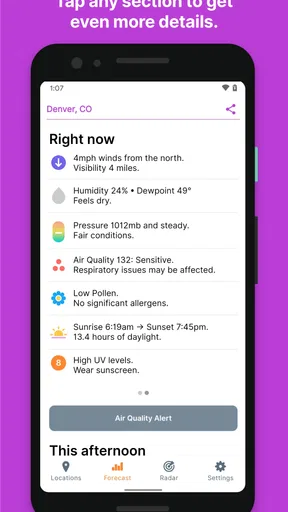
I’ve been using Hello Weather for a few weeks now, and let me tell you, it’s been rock solid. The app loads quickly, updates in real-time, and hasn’t crashed on me once – a major plus in my book. It’s available on both Android and iOS, and it runs smoothly across devices. And hey, if you’re the kind of person who likes to geek out on weather details, this app lets you dive deep with advanced settings and options.
On Android, the current version is 3.10.10 and it requires Android 7.0 or later. The app is rated for Everyone, so it is broadly suitable for general use. I would still keep the phone’s system and app settings in mind when choosing any weather tool, especially if I depend on notifications; a reminder is only useful if it is configured in a way that suits my routine.
There is also a sensible question about cost. Hello Weather is free to install, while in-app purchases range from $0.99 to $29.99 per item. I would start with the free experience and decide whether anything beyond it matters to my habits, rather than assuming I need to pay to get value from a simple forecast check. The app has an average rating of 3.2 from around 1.2 thousand ratings, with 327 reviews, and more than 100 thousand installs. That mixed rating is a reason to approach it with realistic expectations: the streamlined approach will suit some people much more than others.
Who benefits most, and who may prefer another app
I think Hello Weather is a good match for people who check the weather several times a day but do not want to manage a complicated dashboard. It can also suit someone new to weather apps, or anyone who mainly needs a readable forecast for errands, commuting, and casual outdoor plans. The useful question is whether you value a quick overview more than a large collection of specialist tools.
I would look elsewhere if my plans depended on close storm monitoring, if I wanted extensive map-based analysis, or if I needed a highly technical view of conditions. Likewise, anyone who dislikes making decisions from forecasts that can change may prefer to consult official local alerts for consequential situations. The app’s simple presentation helps with everyday choices; it is not a substitute for specialist information when the stakes are higher.
Hello Weather first appeared on February 26, 2017, and its current version keeps the focus on an approachable weather-checking experience. That longevity may make it feel familiar to people who have used it over time, but I would base my choice on whether its present-day workflow fits me: quick checks, hourly planning, and notifications I can tailor.
Final Thoughts
In a sea of weather apps, Hello Weather manages to distinguish itself with its combination of simplicity, accuracy, and thoughtful design. It doesn’t bombard you with ads or unnecessary features, which is a breath of fresh air. Whether you’re a casual weather checker or a forecast fanatic, this app is worth a download. It’s been my trusty companion come rain or shine, and I reckon it could be yours too.
Ready to give it a whirl? Check it out on your app store of choice and see if it becomes your go-to weather buddy. Trust me, you won’t be disappointed!
Pros
- Intuitive and easy-to-use interface.
- Accurate weather forecasts and updates.
- Customizable alerts for severe weather.
- Minimalist design with no clutter.
- Supports multiple locations for tracking.
Cons
- Limited free features; many are premium.
- No radar maps in the free version.
- Occasional ad interruptions.
- Requires internet for full functionality.
- No offline mode for weather updates.
FAQs for Hello Weather
What features does Hello Weather offer to enhance my weather tracking experience?
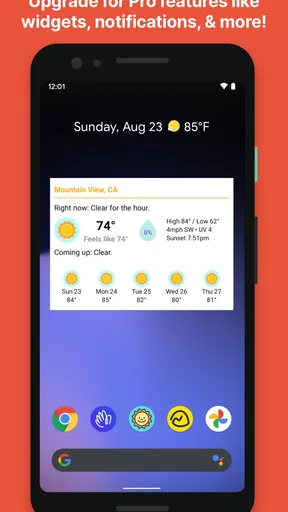
Hello Weather provides a user-friendly interface that combines detailed weather forecasts with real-time updates. It includes features such as hourly and weekly forecasts, radar maps, and alerts for severe weather conditions. The app also offers customizable widgets and supports multiple locations, making it easy to keep track of the weather wherever you are.
Is Hello Weather available for both Android and iOS devices?
Yes, Hello Weather is available for download on both Android and iOS platforms. You can find it on the Google Play Store for Android devices and the App Store for iOS devices. This wide availability ensures that users across different mobile operating systems can enjoy the app's features seamlessly.
Does Hello Weather require a subscription for full access to its features?
Hello Weather offers both free and premium versions. The free version provides basic weather information, while the premium subscription unlocks advanced features such as radar maps, extended forecasts, and ad-free usage. Users can choose the plan that best fits their needs and budget, with the option to upgrade at any time.
How accurate are the weather forecasts provided by Hello Weather?
Hello Weather sources its data from reputable meteorological services, ensuring a high degree of accuracy. However, like any weather app, it is subject to the inherent unpredictability of weather conditions. The app updates frequently to provide the most current information, but users should always consider forecasts as estimations.
Can I personalize the Hello Weather app to fit my preferences?
Yes, Hello Weather is designed with user customization in mind. You can adjust the app’s theme, layout, and notification settings to suit your preferences. Additionally, the app allows you to add multiple locations and customize the types of weather alerts you receive, making it a personalized weather tracking tool.


